2.4 Empty table header on Your Clients page (Positive)
2.4.1 WCAG 1.3.1 (A) - Desktop, Mobile, Automated Finding, iPad
On the Your Clients page, the final column in the client table contains a <th> element that has no accessible name or label. This empty table header fails to communicate the purpose of the column to screen reader users, making it unclear what the associated data (such as action links or buttons) represents.
Screen reader users rely on table headers to provide context for each column. An empty header disrupts this, resulting in a loss of meaning and potentially hindering task completion, particularly for users navigating by table semantics.
This is also observed on the Check Your Answers summary page.
This automated finding was detected using WAVE Web Accessibility Evaluation Tools. Automated accessibility tools are used to quickly identify frequently occurring issues that are generally easy to resolve, and can be fixed during the development stages.
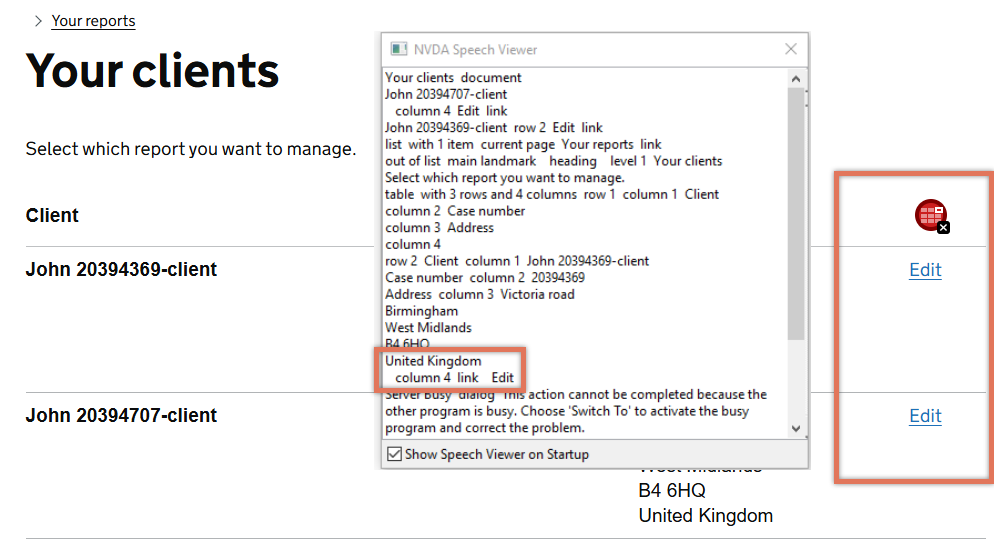
FIGURE 2.6: Table on Your Clients page
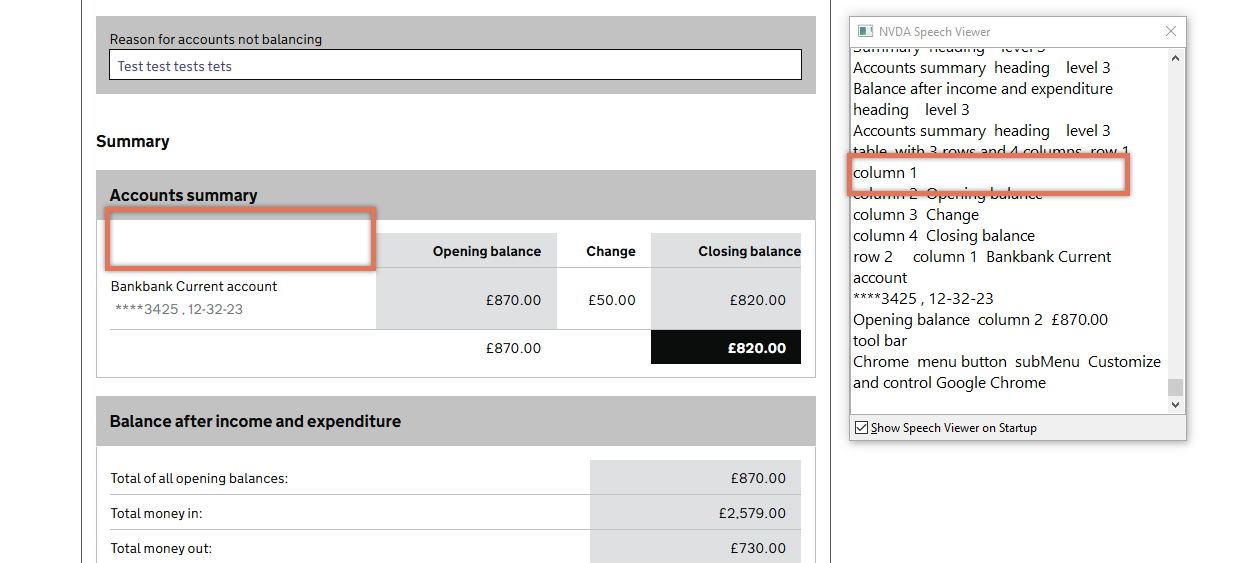
FIGURE 2.7: Empty column header on Check Your Answers page
2.4.2 Code Snippet
<tr>
    <th scope="col" class="govuk-!-font-weight-bold">Client</th>
    <th scope="col" class="govuk-!-font-weight-bold">Case number</th>
    <th scope="col" class="govuk-!-font-weight-bold">Address</th>
    <th scope="col" class="govuk-!-font-weight-bold"></th>
</tr>
2.4.3 Recommendation
Update the table to include a clear <th> element for the final column to reflect its purpose. We suggest using a descriptive header such as “Actions”, which provides essential context to all users and preserves the correct relationship between headers and their associated data cells.
2.4.4 Spot Check: February 2026
This issue has been resolved. The tables now include a column heading, either visually or with a visually hidden <span> element.
This has been updated from a ‘Medium’ severity issue to a ‘Positive’ finding.