2.2 Headings not hierarchical or informative section identifiers (Positive)
2.2.1 WCAG 1.3.1 (A) - Desktop, Mobile, iPad
On some pages, heading levels do not follow a meaningful hierarchy, and in some cases text has been marked up as a heading when it is not a true section heading. This can confuse screen reader users and others navigating by headings.
On the Choose a Client page, the page begins with an H1 (“Choose a client”), followed by an H3 (“Select which client you want to manage a report for”) and then multiple H2 elements for client names. This structure gives the impression that the client names are higher in the hierarchy than the instructions about how to choose, which is misleading. In practice, the “Select which client…” line is simply introductory text that repeats the H1 content, so it would be more appropriate as plain text immediately under the H1 rather than as a heading.
On the Money Out page, the main heading is an H1 (“Money out”), followed immediately by an H3 (“Enter a total amount or individual amounts for each type of payment”), skipping the H2 level entirely. As with the Choose a Client page, this text is instructional rather than a true heading, and could be presented as plain text or hint text under the H1.
This skipped level is also observed on the Accounts Balance Check page.
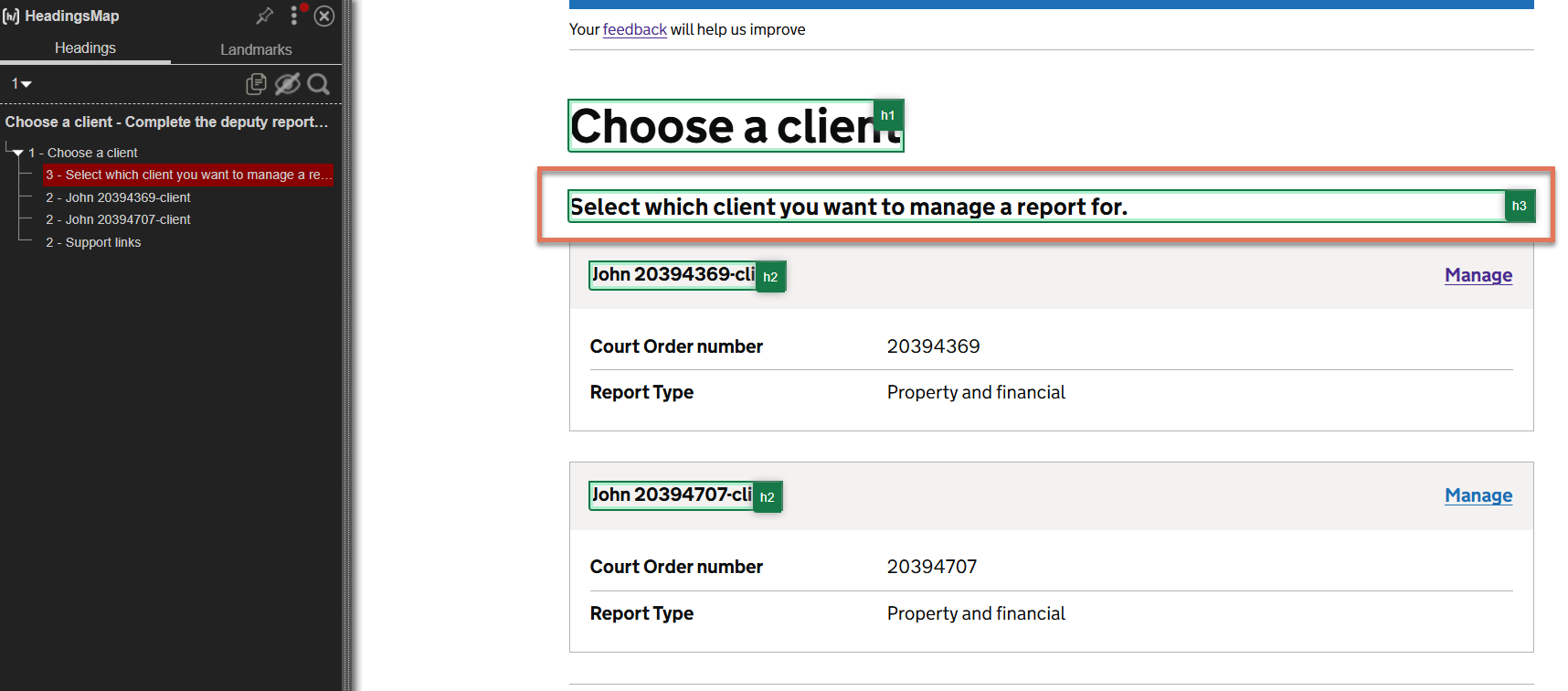
FIGURE 2.3: Level 3 heading highlighted on Choose a Client page
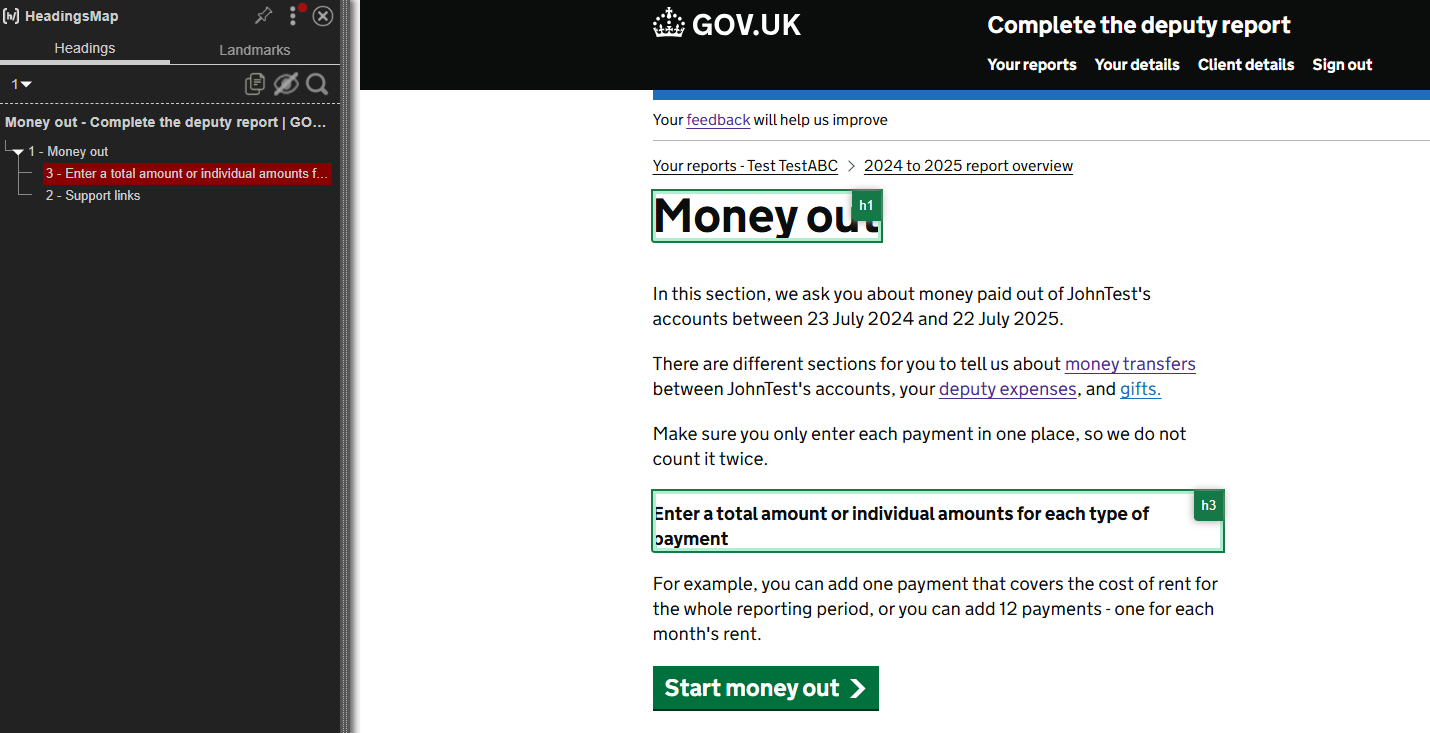
FIGURE 2.4: Skipped heading level highlighted on the Money Out page
2.2.2 Recommendation
Headings should follow a logical, nested order without skipping levels, and only content that introduces a distinct section should be marked up as a heading.
On the Choose a Client page: Remove the
H3from “Select which client you want to manage a report for” and present it as plain paragraph text below the H1. This also ensures that theH2client names are in a hierarchical order under the ‘Choose a Client’ level 1 heading.On the Money Out and Accounts Balance Check pages: Remove the
H3from the instructional text (“Enter a total amount…” etc.) and present it as plain text or hint text. If a subheading is needed for a distinct section, ensure it follows logically from the H1 (e.g. use anH2).
2.2.3 Spot Check: February 2026
This issue has been resolved. The headings on the pages are now hierarchical and informative.
This has been updated from a ‘Low’ severity issue to a ‘Positive’ finding.