3.11 Error summary does not receive focus on form submission (Observation)
3.11.1 Error summary does not receive focus on form submission
On several pages throughout the service, when a form is submitted with validation errors, an error summary dynamically appears at the top of the page. According to the GOV.UK Design System (GDS) pattern for error handling, focus should automatically move from the submission button to the error summary. This ensures that screen reader and keyboard users are immediately made aware of the problem without having to navigate manually.
Currently, the page fully reloads after form submission, causing keyboard focus to reset to the first tabbable element on the page rather than moving directly to the error summary. This requires users to tab through potentially many elements before reaching the summary, which can be time-consuming and frustrating.
In addition, there is no aria-live region to announce new error content without a reload. Instead, the page title is updated to include the word “Error”, which is then read by screen readers after reload. While this is a positive fallback, it does not provide the same immediacy or smooth experience as a live region, which would allow the error summary to be announced dynamically without disrupting the page context.
Additionally, on the Add a User page, the error summary doesn’t present users with links to jump directly to the erroneous form field. This again does not conform to GDS guidelines for error summaries.
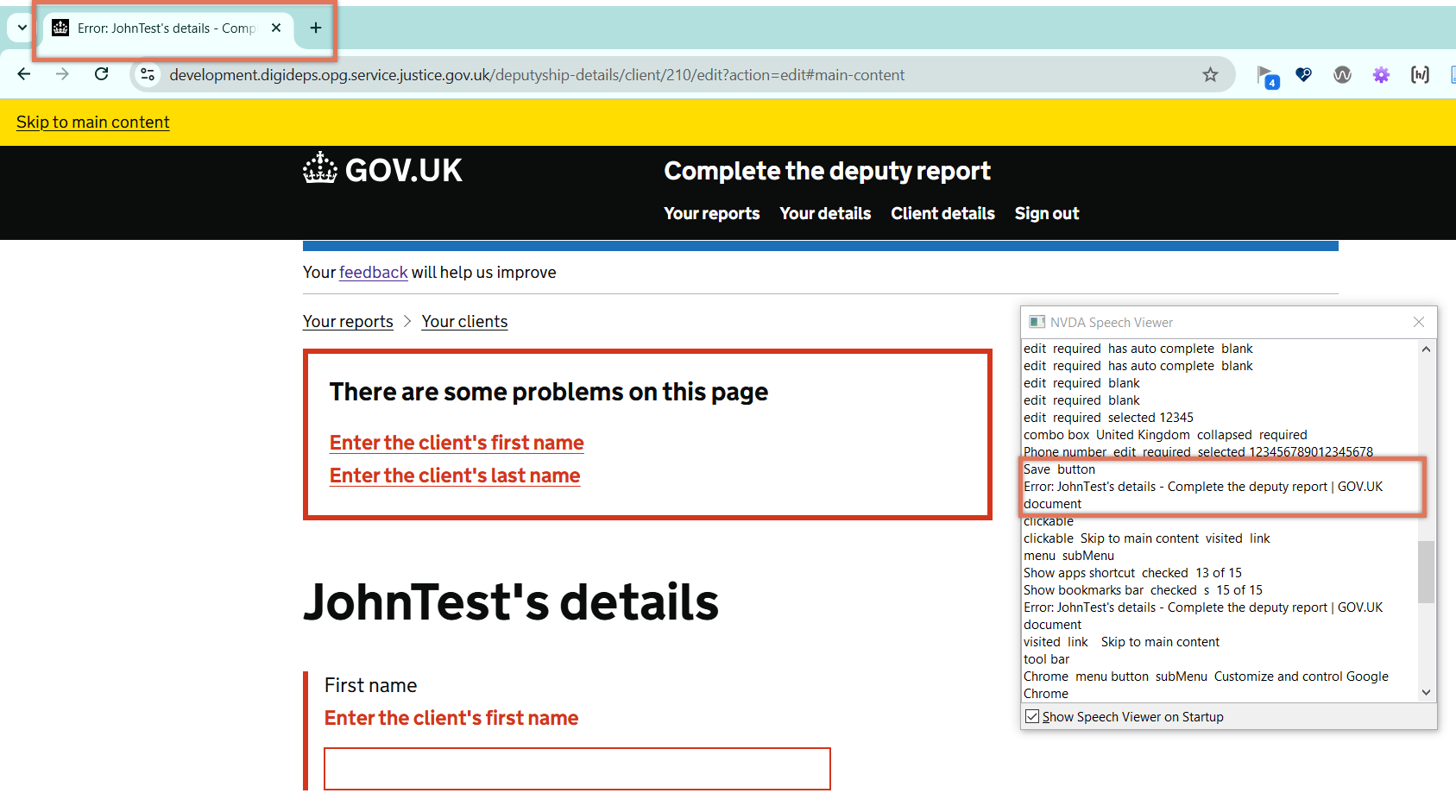
FIGURE 3.16: Page reload on error detection on Client Details page
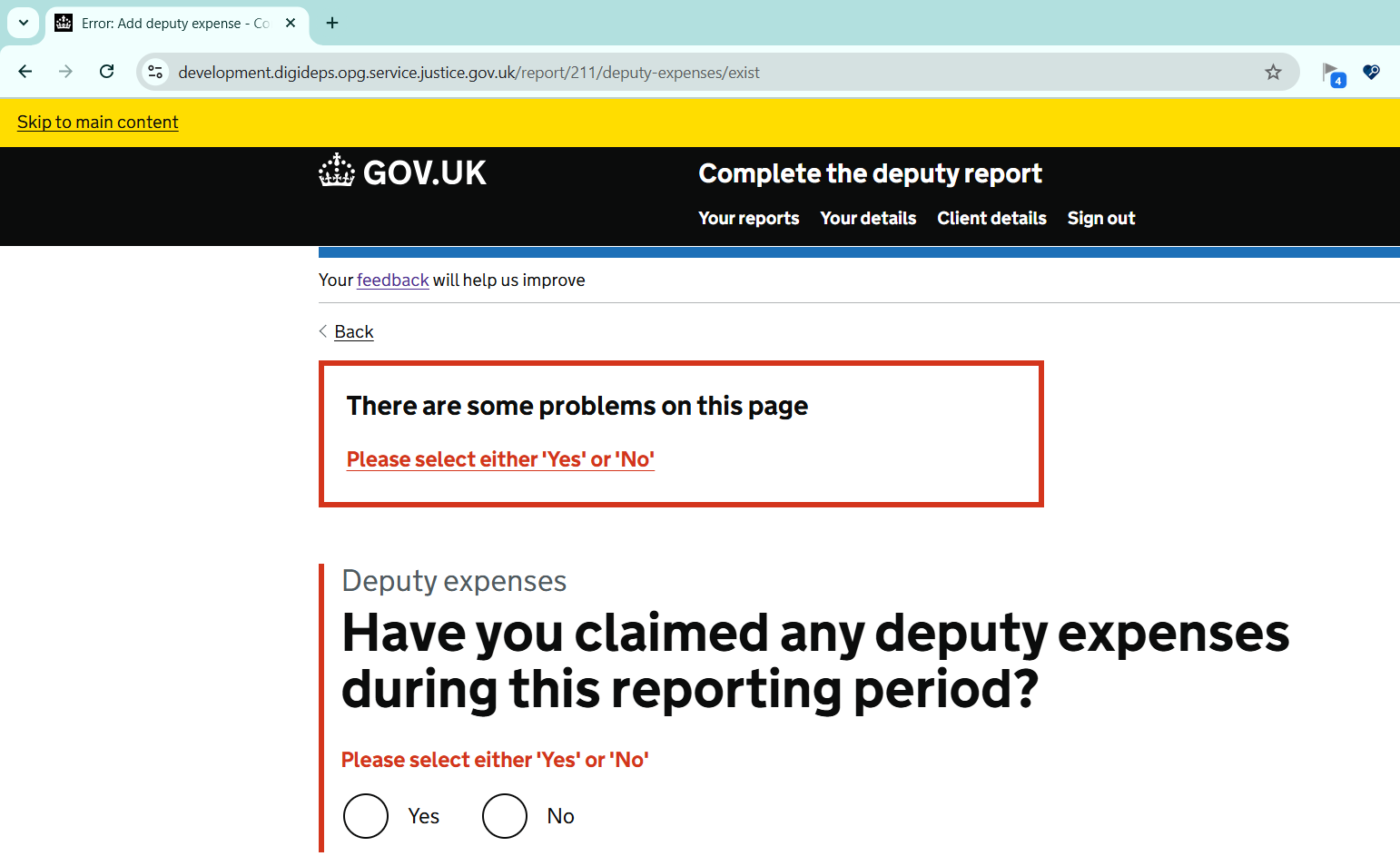
FIGURE 3.17: Error summary and title on Deputy Expenses page
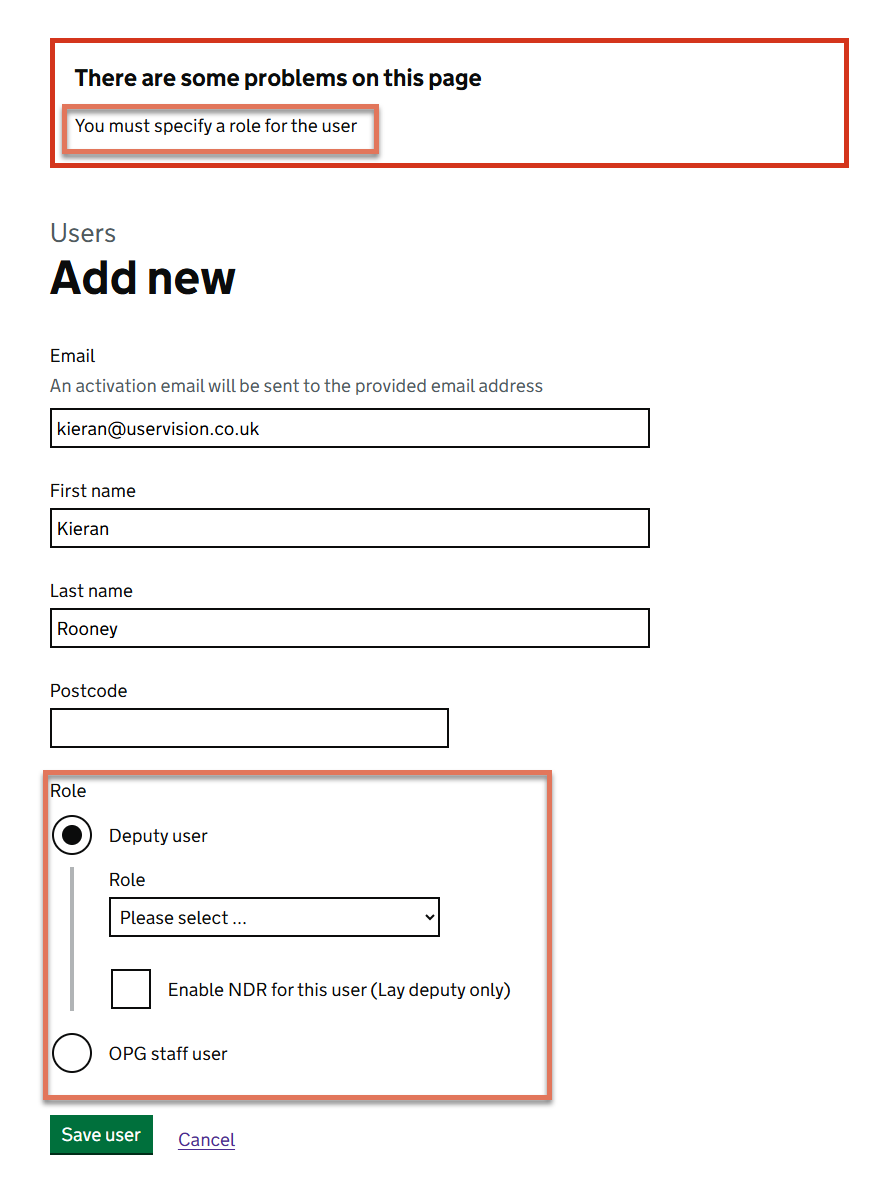
FIGURE 3.18: Error message highlighted on the Add A User page with NVDA speech viewer
3.11.2 Code Snippet
<!-- Submit button -->
<button type="submit" id="client_save">
    Save
</button>

<!-- Error summary -->
<div id="error-summary" role="group" aria-labelledby="error-summary-heading">
    <h2 id="error-summary-heading">
        There are some problems on this page
    </h2>
    <div class="govuk-error-summary__body">
        <ul class="govuk-list govuk-error-summary__list">
            <li><a href="#client_firstname">Enter the client's first name</a></li>
        </ul>
    </div>
</div>
3.11.3 Recommendation
Implement automatic focus management so that when errors occur, the error summary container receives focus immediately after submission. Using the govuk-frontend JavaScript component from the GDS Nunjucks kit will help implement this behaviour.
Use role="alert" on the error summary region to announce the content dynamically without requiring a page reload. This ensures that assistive technology users are informed of errors immediately.
Also ensure that the error summary contains links to the form field with errors so that users can quickly identify, navigate to, and rectify the error.
<div class="govuk-error-summary" data-module="govuk-error-summary">
  <div role="alert">
    <h2 class="govuk-error-summary__title">
      There are some problems on this page
    </h2>
    <div class="govuk-error-summary__body">
      <ul class="govuk-list govuk-error-summary__list">
        <li>
          <a href="#client_firstname>Enter the client's first name</a>
        </li>
      </ul>
    </div>
  </div>
</div>
3.11.4 Resources
3.11.5 Spot Check: February 2026
This issue has not been addressed. Focus still moves to the top of the page after submitting an invalid form, rather than moving directly to the error summary.
This remains an ‘Observation’.