3.7 Form fields missing accessible labels (Observation)
3.7.1 Form fields missing accessible labels
On the Client Details page and the Add a Contact form page, some form fields are missing programmatic associations between the visible label and the input field. Although labels are visually present, these are presented within <div> elements while the actual <label> is left blank
Thus, instead of hearing a descriptive label, screen reader users only hear “edit required blank”, which provides no indication of the field’s purpose. This creates significant accessibility barriers for blind or visually impaired users, who rely on these announcements to complete forms accurately. They would have to manually enable ‘browse mode’ on their screen reader to be able to use arrow keys to navigate to the text label.
While this issue is less severe on mobile devices, where swipe navigation announces everything line by line, it still presents a significant barrier for screen reader users on other devices. They rely on proper label association for understanding and interacting with form elements.
Additionally, the aria-describedby attribute is present but either left empty or not linked to any helpful descriptive content.
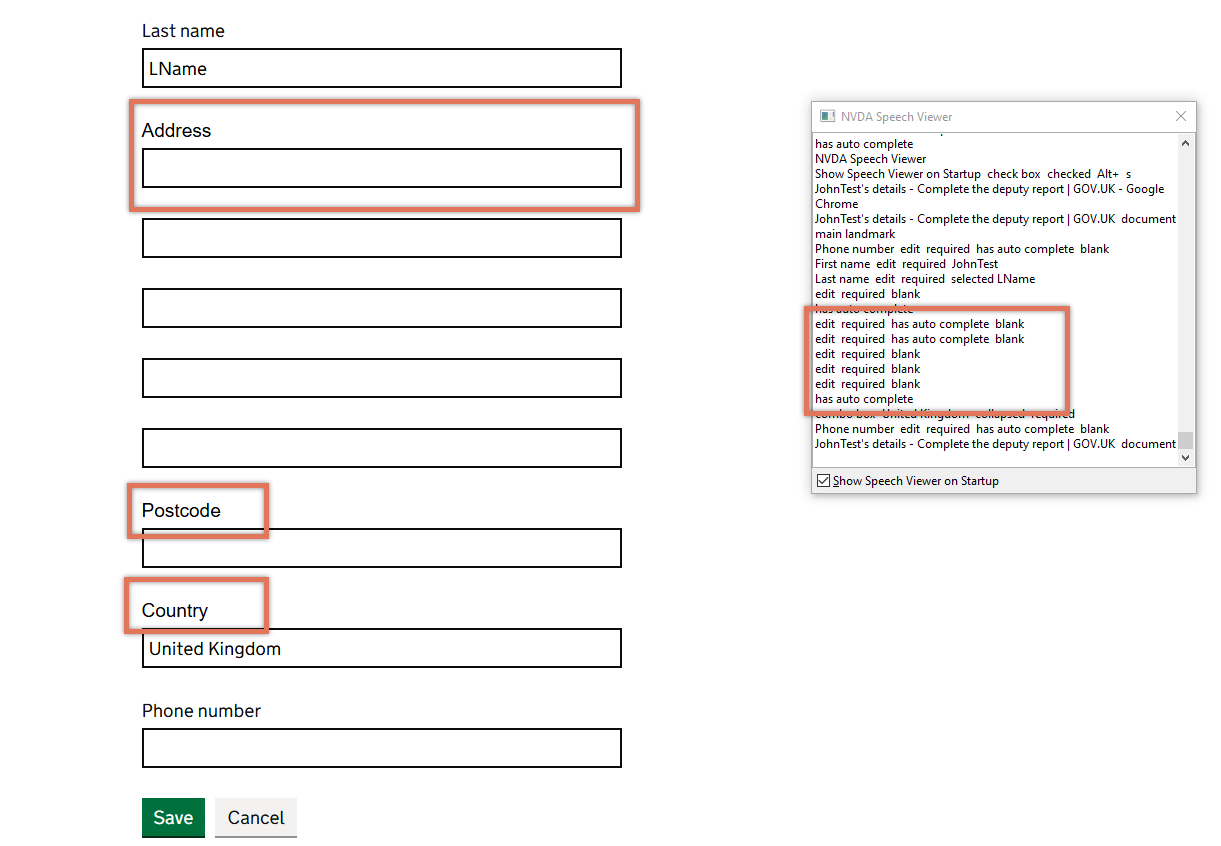
FIGURE 3.11: Form fields without labels on Client page
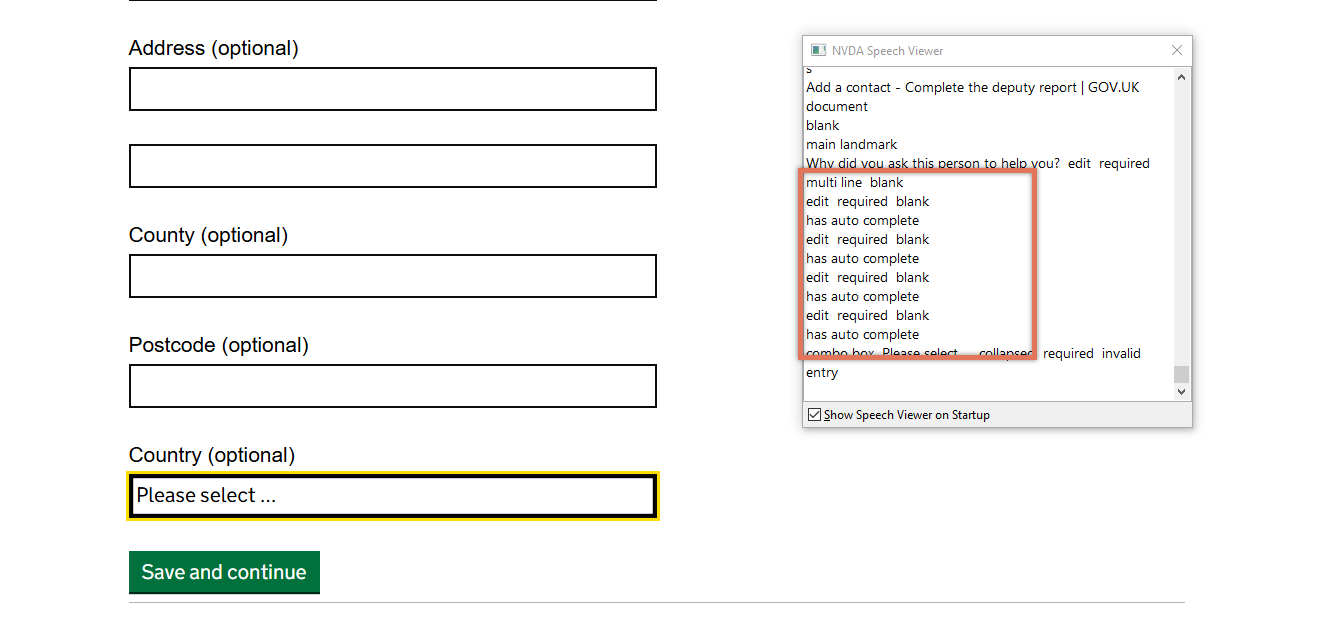
FIGURE 3.12: Form fields on Add a Contact form page
3.7.2 Code Snippet
<div class="govuk-form-group">
   Postcode

  <div id="form-group-client_postcode">
      <label for="client_postcode" class="govuk-label ">
      </label>
      <input type="text" id="client_postcode" aria-describedby="">
  </div>

</div>
3.7.3 Recommendation
Present the label within the <label> element instead of in a separate <div>. The <label> element’s for attribute already correctly references the id of the corresponding input, so the label text just needs to be repositioned:
<div id="form-group-client_postcode">
  <label for="client_postcode" class="govuk-label ">
    Postcode
  </label>
  <input type="text" id="client_postcode" aria-describedby="">
</div>
Remove the aria-describedby attribute since there appears to be no additional information that it links to.
3.7.4 Resources
3.7.5 Spot Check: February 2026
This issue has been partially resolved. The form fields now have their visible labels programmatically associated to the corresponding input field with its for attribute correctly referencing the <label> element’s id.
However, the element still has an empty aria-describedby (<input aria-describedby="">). While this behaviour wouldn’t affect users, it may be flagged as an error by automated code scanners. Remove the aria-describedby attribute since there appears to be no additional information that it links to.
This has been updated from a ‘Medium’ severity issue to an ‘Observation’.