3.4 Horizontal scrolling required at higher zoom levels (Medium)
3.4.1 WCAG 1.4.10 (AA) - Desktop, Mobile, iPad
On the Submitted Report page, when viewed on mobile devices or when browser zoom is set to around 200% or higher, the layout does not adapt to the viewport width. Content overflows horizontally, requiring two-dimensional scrolling to view the full form.
At 200% zoom, parts of the form extend beyond the visible area, forcing users to scroll both vertically and horizontally. This makes navigation slower and more difficult, particularly for users with low vision who rely on high zoom or magnification tools, and for keyboard users who must navigate through content that is partially out of view.
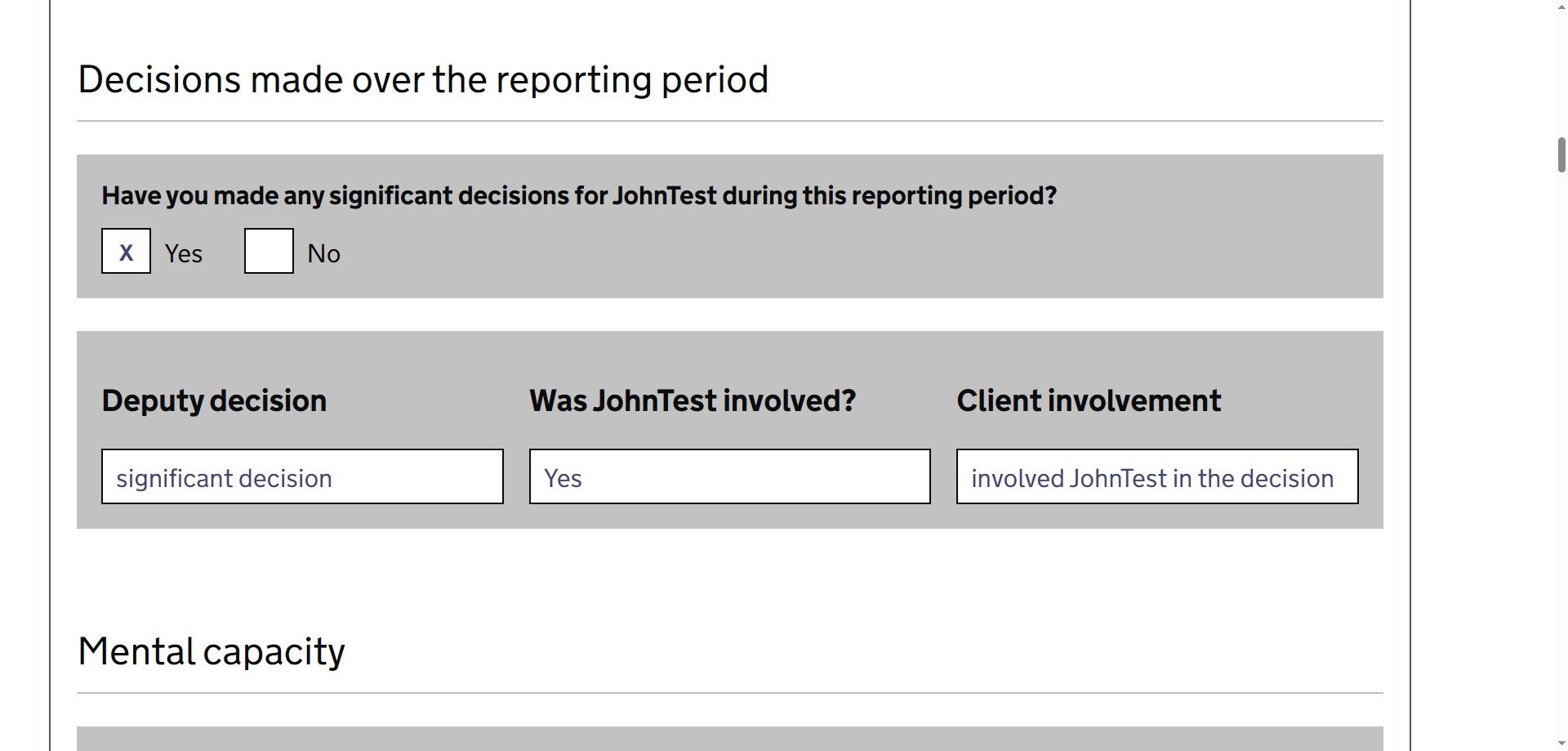
FIGURE 3.7: Viewport at 200 per cent browser zoom
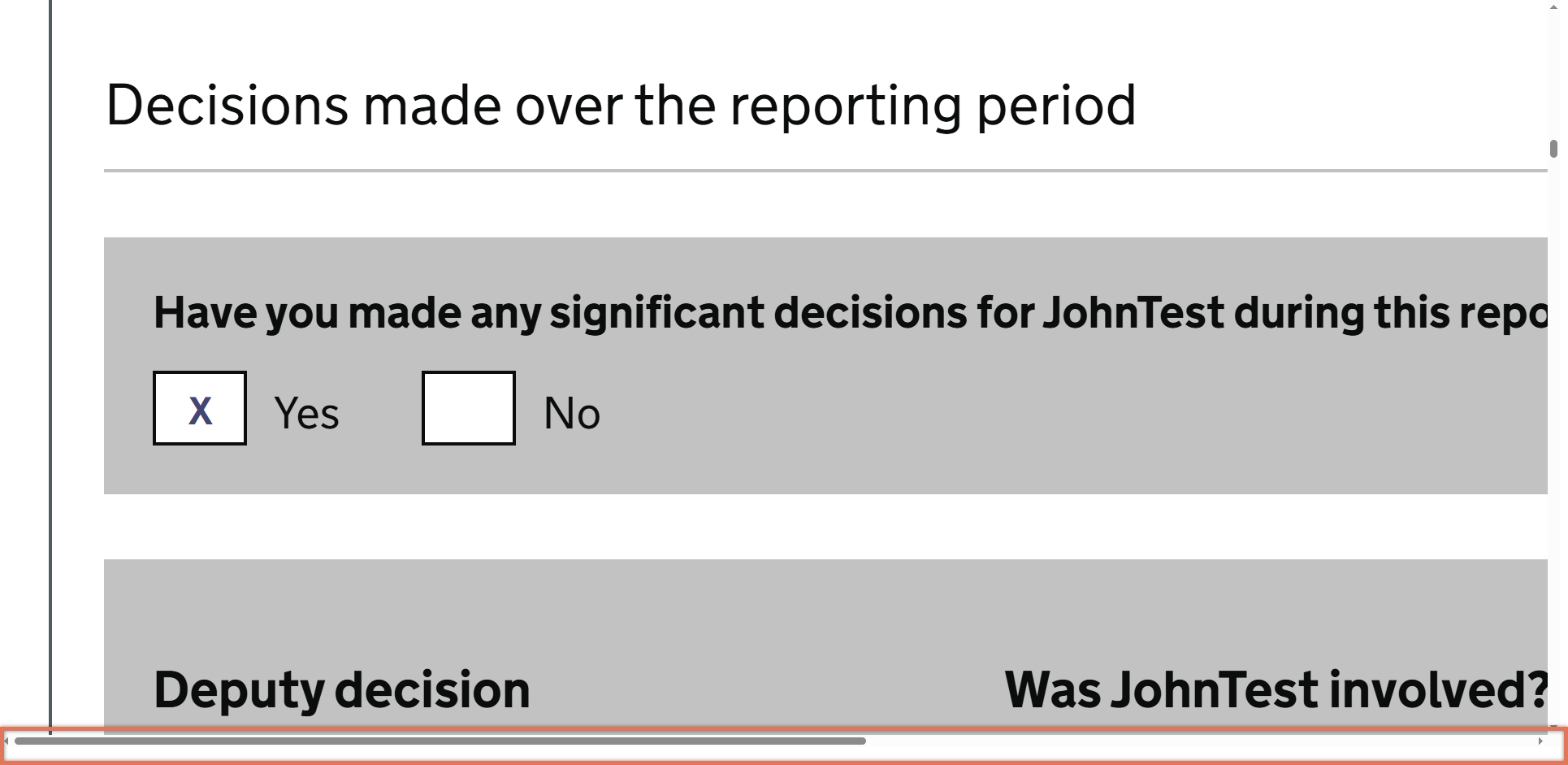
FIGURE 3.8: Viewport at 400 per cent browser zoom with horizontal scroll bar highlighted
3.4.2 Recommendation
Ensure that page layouts reflow correctly within the viewport without requiring horizontal scrolling at zoom levels up to 400%:
Using responsive CSS layouts that adapt to smaller screen widths and higher zoom levels. This can involve reformatting the questions so that they appear in a single column.
Avoiding fixed-width containers or elements that exceed the viewport width.
Ensuring that form fields, tables, and other components wrap or stack appropriately when space is limited.
3.4.3 Resources
3.4.4 Spot Check: February 2026
This issue has not been resolved. The page still requires horizontal scrolling at higher zoom levels.
As outlined in [Summary answers on Check Your Report page are unclear for screen reader users:::::::::::::: (High)], we recommend providing an HTML-based version first that implements responsive design, with the PDF available as an alternative.
We have downgraded this from a ‘High’ severity issue to a ‘Medium’ severity finding.