3.9 Multiple redundant links on Report Overview (Observation)
3.9.1 Multiple redundant links on Report Overview
On the Overview page, each report section (such as Decisions, Contacts, Visits) contains two separate links that both direct to the same destination. The section heading itself is a clickable link, and an additional “Start” link appears within the same section row. Both links perform the same function, leading to unnecessary duplication.
For screen reader and keyboard users, this duplication creates extra tab stops and repeated announcements of the same action. It adds to the cognitive load and slows down navigation, particularly for users relying on auditory cues or linear navigation.
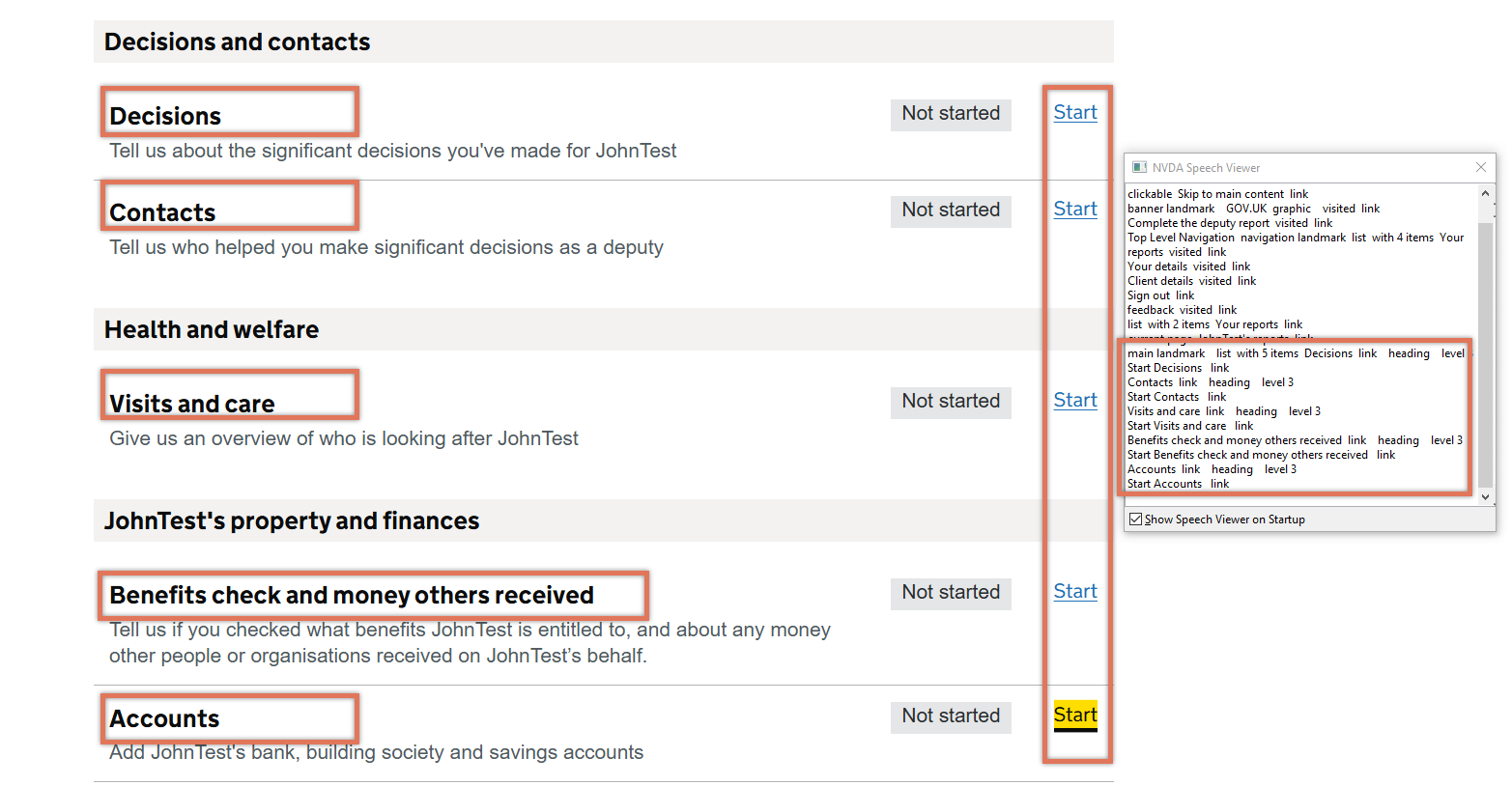
FIGURE 3.14: Headings and Start links on Overview page
3.9.2 Code Snippet
<h3>
  <a href="/report/187/decisions">Decisions</a>
</h3>

...

<a href="/report/187/decisions" id="edit-decisions">
  Start
   <span class="govuk-visually-hidden">Decisions</span>
</a>
3.9.3 Recommendation
Retain a single “Start” link to reduce duplication for assistive technology users.
Also consider associating the ‘Not started’ status tag with the link using aria-describedby, so users understand both the action and the current status without navigating to a separate element as noted in [Status and link could have better programmatic association:::::::::::::: (Observation)].
3.9.4 Spot Check: February 2026
This issue has not been addressed. Each section still contains two links pointing to the same destination, with the H3 heading and the “Start” link both leading to the same page. This continues to create duplicate tab stops and repeated announcements for assistive technology users.
This remains an ‘Observation’.