2.1 Screen reader users not informed when password is shown (Positive)
2.1.1 WCAG 1.3.1 (A), 4.1.3 (AA) - Desktop, Mobile, iPad
On the Login page, users are provided with a toggle button to show or hide their password. In its default state, the button displays ‘Show’ and is announced as “Show button” by screen readers. On interacting with it, the password field dynamically updates to reflect the actual password instead of just dots, and the button text is updated to ‘Hide’. However, this information is only conveyed visually; screen reader users are not informed of these changes.
Screen reader users rely on auditory cues to understand the state and functionality of interactive elements. In this instance, there is also the added security risk of users not knowing whether their password is hidden or not. If screen reader users accidentally make their password visible without realising it, they run the risk of people around them noticing their secure details.
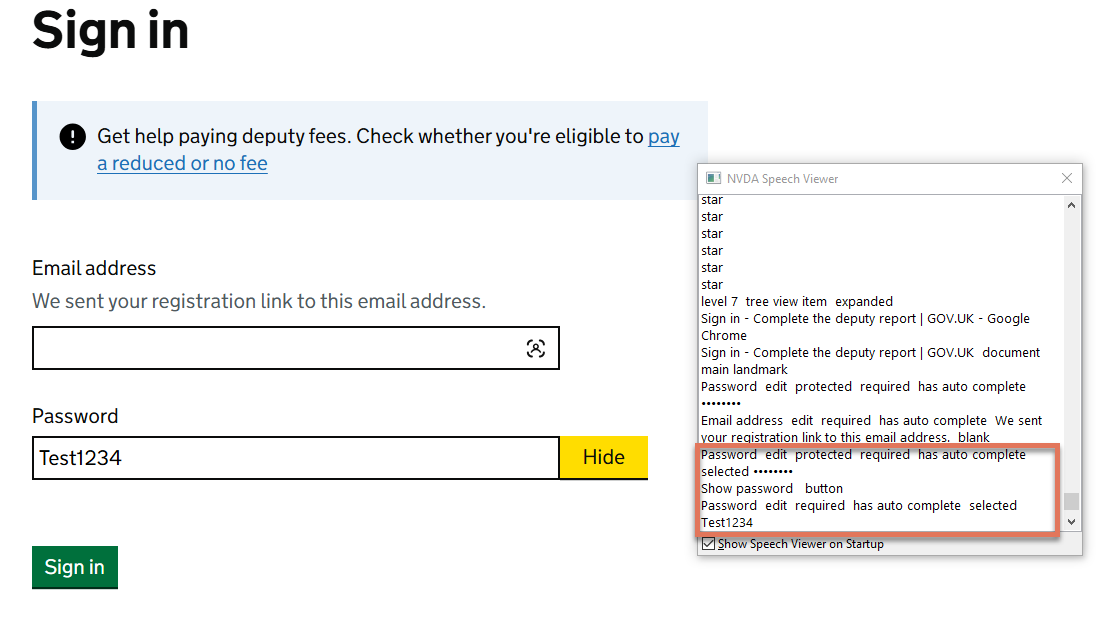
FIGURE 2.1: Show Password button on Login page
2.1.2 Code Snippet
<button type="button">Hide
<span class="govuk-visually-hidden">password</span>
</button>
2.1.3 Recommendation
Add a visually hidden status message inside an aria-live region that updates when users interact with the password toggle. This ensures screen reader users are informed when the password is shown or hidden.
We recommend using aria-live="assertive" so the message is announced immediately. The content of the live region should be updated programmatically in response to the toggle action.
Example structure:
<button type="button" onclick="showHide()">
  Show
</button>

<div aria-live="assertive" class="visually-hidden">
  Your password is hidden
</div>
2.1.4 Spot Check: February 2026
This issue has been resolved. The field now uses a visually-hidden span within an ARIA live region that informs screen reader users when their password is visible.
This has been updated from a ‘Medium’ severity issue to a ‘Positive’ finding.
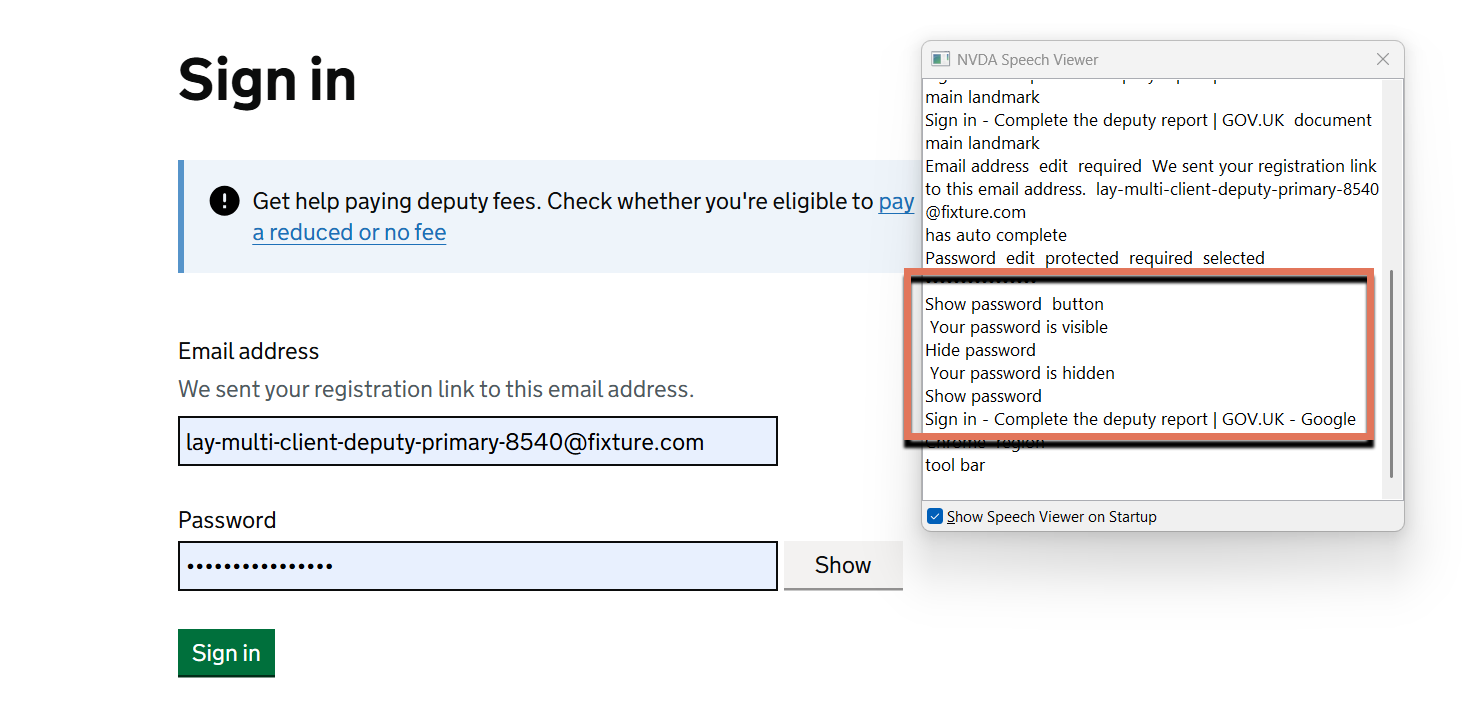
FIGURE 2.2: Positive implementation of the show and hide password button